How to Customize Your Car With AI (2026 Step-by-Step Guide)
Customize your car with AI in under a minute. This step-by-step guide shows how to turn a photo of your car into a photorealistic custom build — paint, wheels, body kit and more.
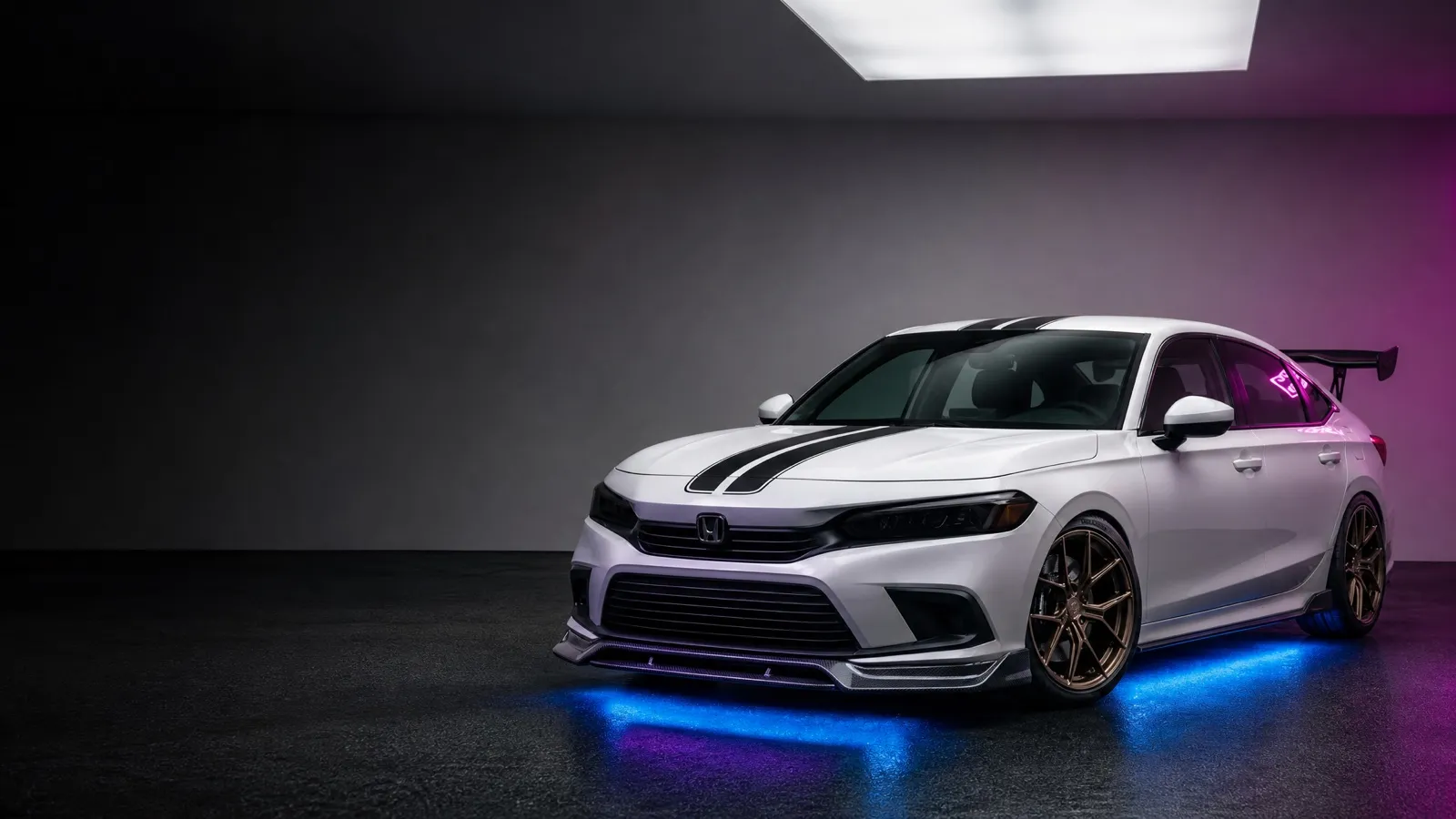
You can customize your car with AI by uploading a photo of your vehicle to an AI car customizer like AutoMod, choosing the modifications you want — paint, wheels, body kit, spoiler — and letting the AI render a photorealistic version of your exact car in seconds. No design skills, no expensive software, no shop visit.
Here’s exactly how to do it.
What you’ll need
- An iPhone with the free AutoMod app installed.
- A clear photo of your car (or you can start from a built-in studio template).
- About 60 seconds.
Step 1: Upload a photo of your car
Open AutoMod and tap Upload. Take a fresh photo or pick one from your gallery. For the best AI results:
- Shoot the car in good, even lighting — daylight is ideal.
- Capture a 3/4 angle (front corner) so the AI sees the wheels, hood and side profile.
- Avoid heavy shadows, reflections and busy backgrounds.
No photo handy? Start from a studio template — Honda Civic, Toyota Supra, Ford Mustang, Dodge Charger and more — and explore the full customizer instantly.
Step 2: Choose a vibe — or go fully custom
This is where the magic happens. You have two paths:
- Pick a vibe. Choose a curated style preset — Street Racing, Blacked Out, Luxury, Aggressive, Clean OEM+, Drift or Neon — and the AI designs the whole build for you. Feeling adventurous? AI Surprise picks everything.
- Customize every detail. Choose your paint color and finish (24 colors across gloss, matte and metallic), then add wheels, spoilers, body kits, stickers and headlights.
Step 3: Generate and review
Tap generate. AutoMod’s AI locks onto your car’s make, model and angle, applies your chosen mods, and renders a photorealistic result — the same car, transformed. Use the before/after comparison to see exactly what changed.
Step 4: Save it to your garage
Love it? Save the build to your personal garage. Generate as many versions as you want, compare them side by side, and share your favorite. Every saved build keeps your original photo intact.
Tips for the most realistic results
| Goal | Do this |
|---|---|
| Sharper render | Use a high-resolution, well-lit photo |
| Believable stance | Shoot at a slight 3/4 angle, not dead-on |
| Cleaner edit | Keep the background simple and uncluttered |
| Faster iteration | Start from a vibe, then fine-tune specific parts |
Why visualize before you build?
A real respray or set of wheels costs hundreds or thousands. Seeing the result first means no expensive regrets — you commit to a look you already love. That’s the whole point of AI car customization: try everything virtually, buy only what you’re sure about.
Want the background on the tech? Read what is AI car tuning, or just download AutoMod and build your dream car tonight.
FAQ
Can I customize my car with AI for free?
Yes. AutoMod is free to download and gives you a free AI build to try. Unlimited builds are available with AutoMod Pro (weekly, monthly or annual).
How long does an AI car customization take?
A single AI build usually renders in seconds. You upload a photo, choose a style or specific mods, and the customized image is generated almost immediately.
Do I need any design skills?
No. AutoMod is built for everyone — pick a one-tap style preset and the AI designs the entire build for you. No Photoshop, no rendering software, no experience needed.
